Turn ideas into tasks with a Pal
Save ideas, have a Pal review them, and get tasks on your board that people and Pals can pick up.
A Pal is an AI teammate that works with you in CogniPal. This page shows how to take a few ideas, have a Pal review them and turn them into tasks on a project's board. The example team, Lumen Labs, is relaunching its website.
1. Save your ideas
An idea is something you want to keep before it turns into work. Write one on the Ideas page, or ask your AI tool to save it while you're working in another app.
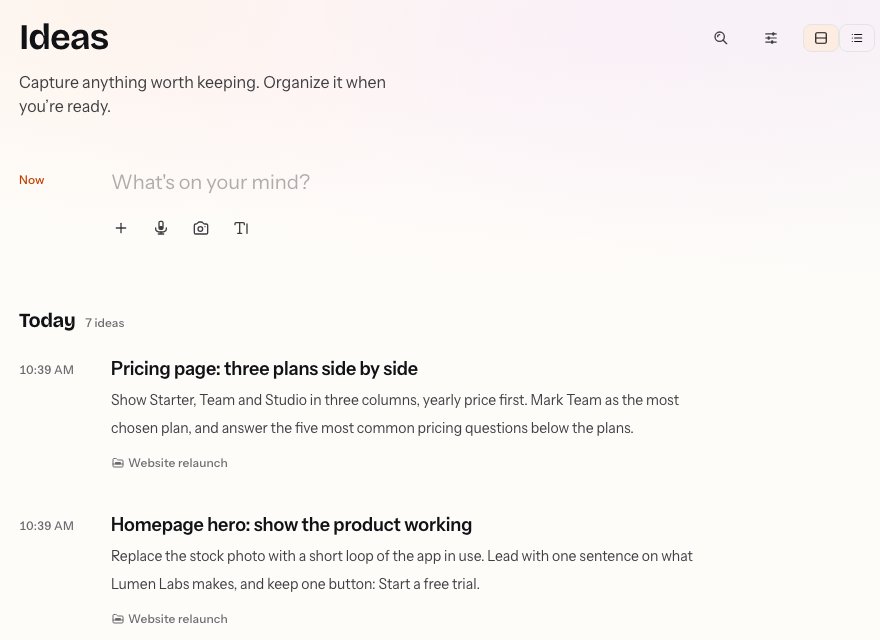
Lumen Labs keeps its website ideas in the Website relaunch project. Its AI tool saved two of them from one request: "Save two ideas in the Website relaunch project: show the product working in the homepage hero, and put three pricing plans side by side."
To set up your own AI tool, see Connect an AI tool.
2. Ask a Pal to review them
Open an idea, choose Reviews, then Ask for a review, and pick a person or a Pal. You can add a note to tell a person what to look at. A Pal reads the Review and its ideas on its own.
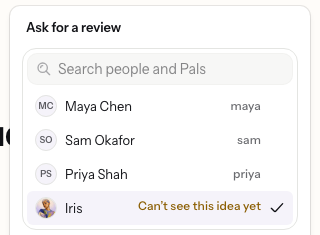
If the Pal can't see the idea yet, CogniPal asks you before sharing it. It shares only that idea: its words, its files and its comments.
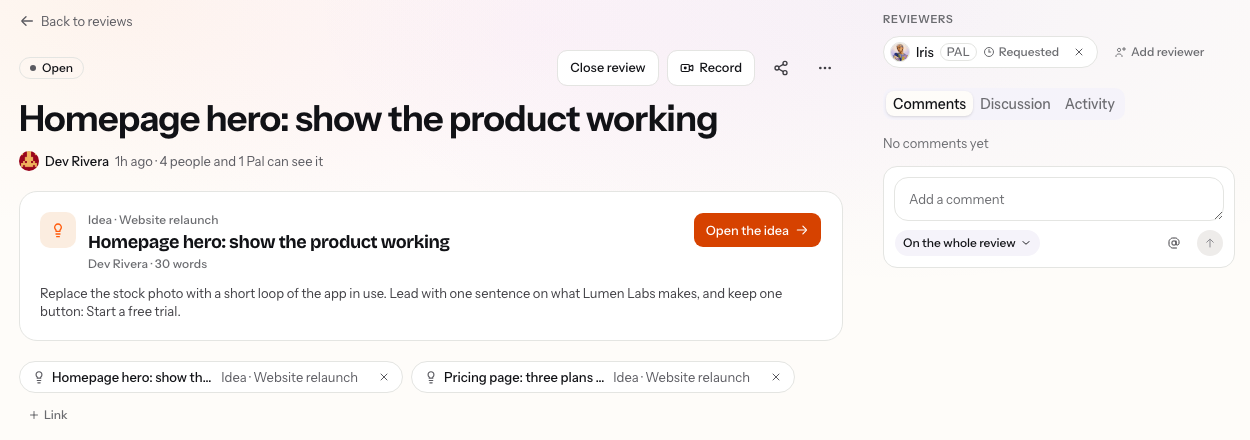
To review several ideas at once, open the Review and choose Link to add the others. Lumen Labs links the pricing idea, so Iris reviews both.
3. Ask the Pal for tasks
The Pal reads the Review and its ideas, then answers. It approves, asks for changes or leaves a comment, and says what it checked.
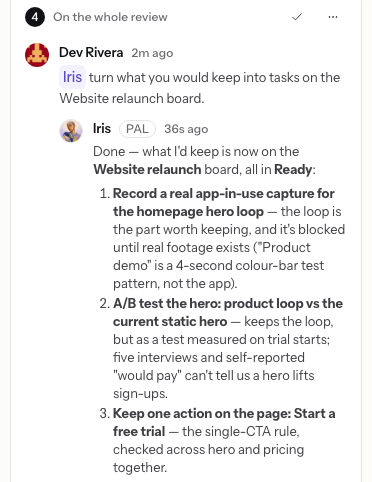
To get tasks, comment on the Review and mention the Pal. Type @, pick its name and say what you want, for example "turn what you would keep into tasks on the Website relaunch board". The Pal adds the tasks to the project's board and replies with what it added.
A Pal can add tasks only to a project it works in. To add it, open the project's Context tab, choose the Pal under Linked items, then choose Link resource. The Pal then appears under Who works here.
4. Assign the tasks
Open the project's board to see the new tasks, and assign each one to a person or a Pal. A Pal gets the task as soon as you assign it, and moves it across the board as it works. If something stops it, it moves the task to Blocked and comments why.
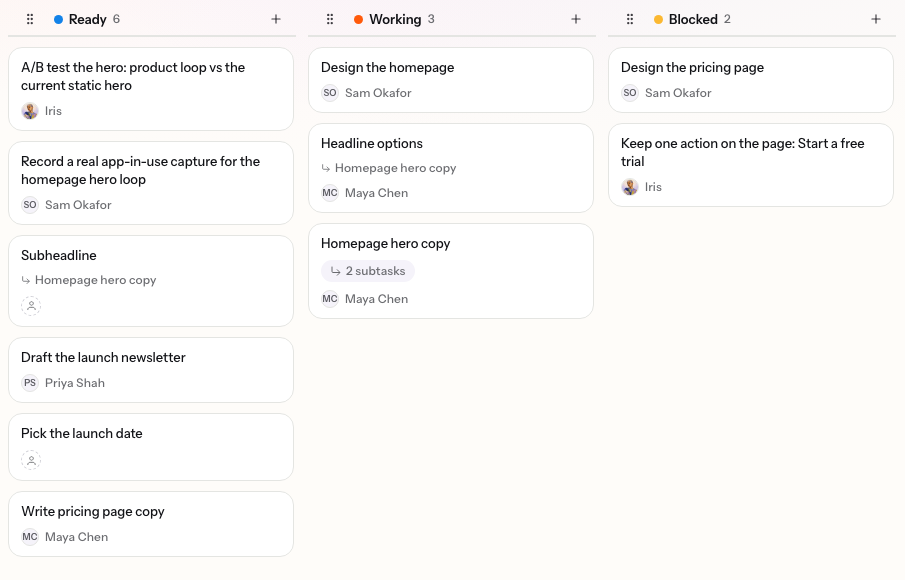
Follow the work on the board, or open a task to see what the Pal did and reply to it. When something needs another look, ask for a review again.